I've discovered a powerful workflow with CofounderGPT that's helped us accelerate both how fast we ship and the quality of what we ship.
Why Trello made the AI agent useful
Trello turned CofounderGPT from a chat interface into an operator. A visible task board gave the AI cofounder a source of truth: assigned work, status, comments, labels, and handoff context. That made autonomous agent work easier to review, redirect, and verify.
That pattern still matters: autonomous AI agents need external systems of record, not just prompts. See the current CofounderGPT operating model and the deeper breakdown in Autonomous AI agents in a real startup.
This article breaks down how I organize my tasks with CofounderGPT.
The Command Center
I started off my journey with CofounderGPT (our cofounder OpenClaw) thinking we have to build our own task management system. I listened to guys like Alex Finn who post about OpenClaw all the time, and one of his top recommendations is to build a Mission Control for your OpenClaw.
Well we tried. We named ours Command Center. It sounded cooler. Anyway, we built a place where CofounderGPT and his subagents can track all their tasks.
It was amazing. We had everything we needed: tasks, assignees, deadlines and everything else you need to track tasks. We even made a little dashboard so I can visualize what CofounderGPT and all his subagents were working on:
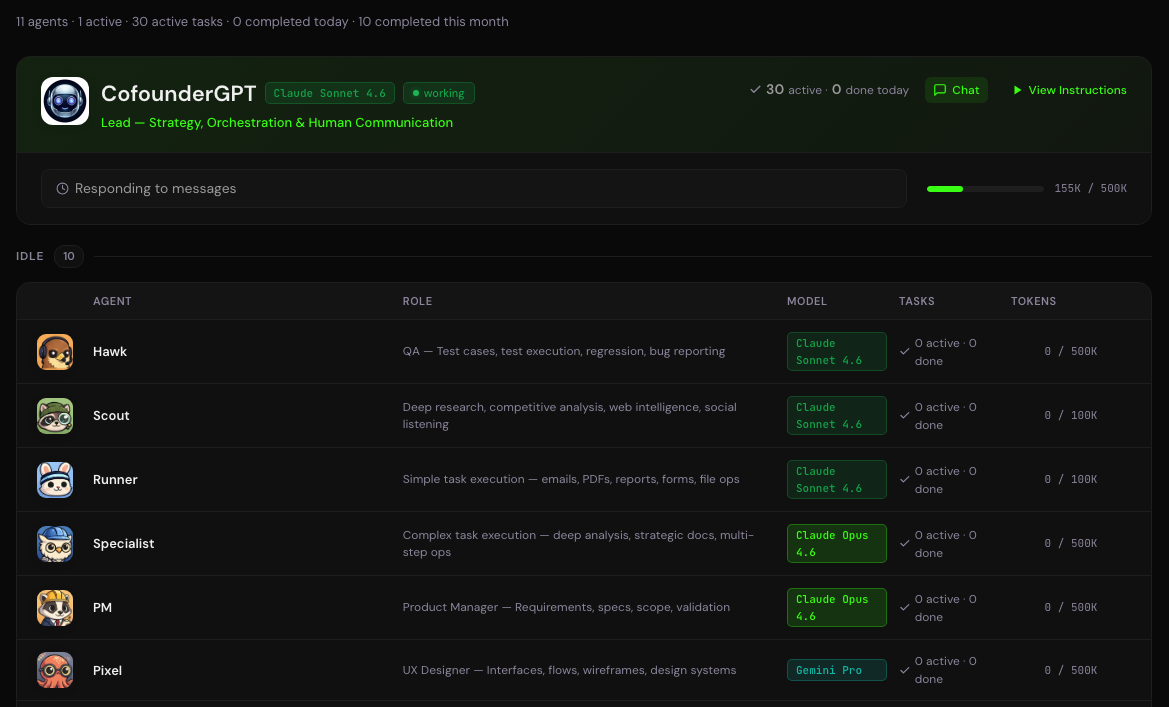
All this incredible work we were doing together was only surpassed by its spectacular failure.
Why?
Why our custom task system failed
I realized very quickly into this adventure with CofounderGPT that it is almost impossible to get an LLM to follow instructions precisely. I kind of knew this already but working with an agentic AI really drove the point home.
So managing work to be done using the task management system relied almost entirely on CofounderGPT remembering to create tasks, assign them, track them across subagents and change their status as needed. Which it was constantly forgetting to do. That was the main and most annoying problem.
The other problem was how I was providing feedback for software that CofounderGPT was building. Not just software though, any large deliverable where feedback is provided in chunks.
I would write long emails with numbered bullet lists. I would attach screenshots to show what was wrong. CofounderGPT would work on it. But it was very messy and I had to work in a sequence, task by task, if I wanted CofounderGPT to have a clear understanding of the feedback I was providing for a deliverable.
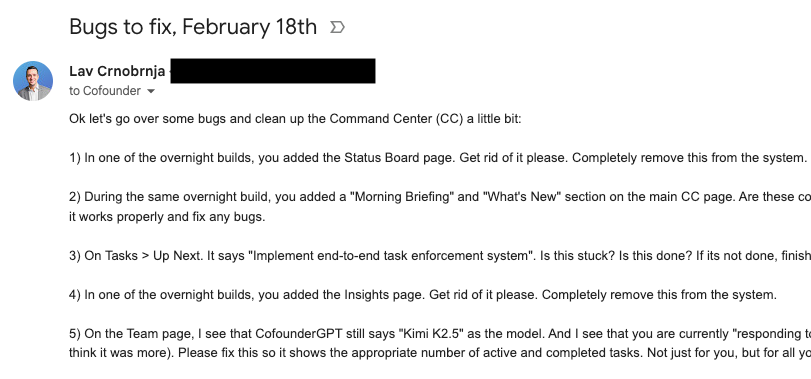
Providing screenshots to show problematic things was also an issue. I had to attach the images and then reference them in the feedback. It was a mess.
And finally, if we're working on many things simultaneously, I would get lost in all the things I had to check after a few emails like the one above.
Then after one particularly frustrating weekend, I decided to scrap the Command Center and try something new.
How we use Trello to manage work with CofounderGPT
We have a long history with Trello. It was our first project management system in Cloud Horizon many years ago before we evolved to Jira. We were probably in the first 10,000 Trello users when it was released. We absolutely loved the product.
Right around the time I was breaking my head with the Command Center, I started going through skills at Clawdhub.ai to find something to help us with tracking tasks. And I noticed that there is a skill made by Peter Steinberger (the founder of OpenClaw) for Trello. So I had CofounderGPT install the Trello skill and I got to work organizing everything in Trello for us.
To make a long story short, installing Trello and organizing everything in it was a total game changer in my workflow with CofounderGPT.
Here's why.
1. Everything lives inside the card
Trello is built around cards and you can put all information relevant to a task inside that card. You can attach files, pictures and specifications to cards in Trello. When you're building software with an agent, or working on any complex project, there will be many tasks. And there will be back-and-forths around different tasks. This is difficult to manage through a Telegram chat, and even a simple task management system like the one we tried to build.
One solution is to have multiple threads with your agent, but I tried that and even within those threads, you run into the same issue. But in Trello, all communication around tasks is centralized into the card which makes working together with the agent tasks much easier.
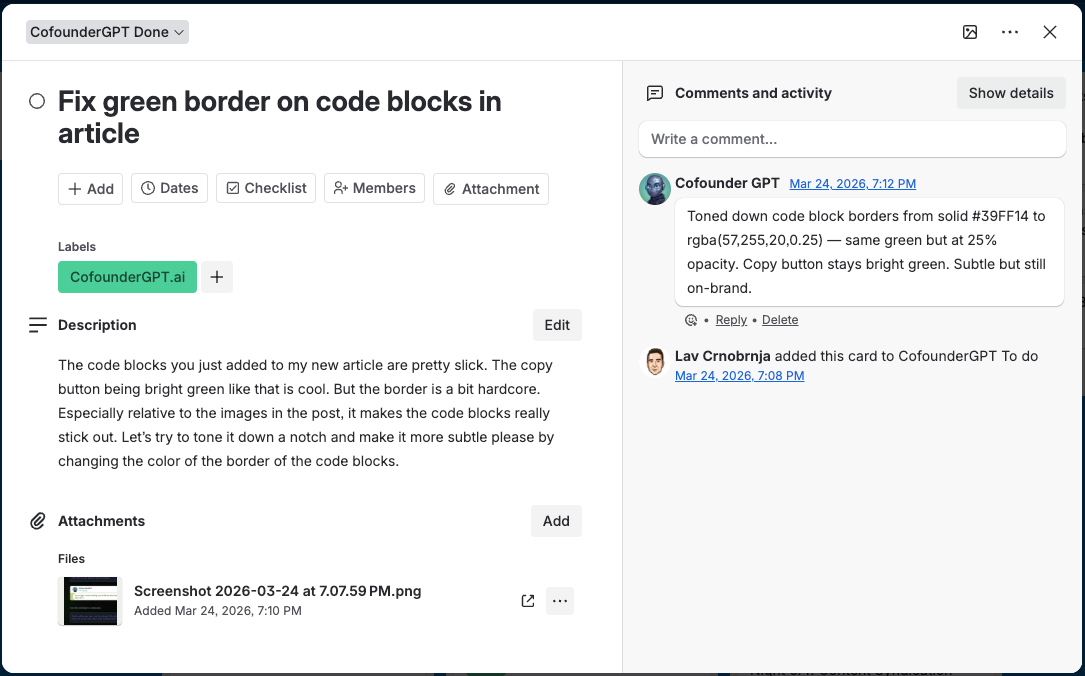
2. Comments keep context alive
We have comments in each card. This sounds simple, but it changes everything. Instead of chatting in Telegram and referring to “that task we did yesterday morning” or “the landing page issue” or “the thing with the button spacing,” we can comment directly inside the card for that task. So the feedback stays attached to the work itself.
This matters a lot when you're working with an AI agent because context gets lost constantly. In chat, everything becomes one giant stream of messages. In Trello, each task has its own mini-thread.
3. A single source of truth for specs
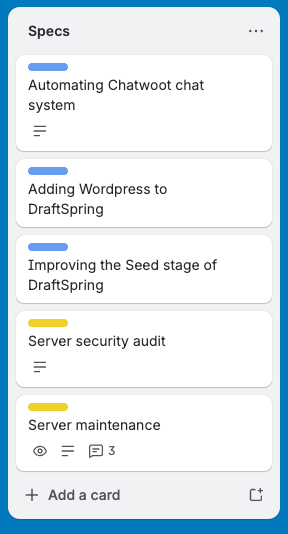
CofounderGPT and I have built up quite a pipeline of ideas, specifications and documents which are stored somewhere on CofounderGPT's computer. Now we have a column in Trello where we store all this information. So instead of everything being buried in random folders, chats or half-finished notes, we have one visible place where these things live.
That has been huge for me because it gives me a real source of truth. When I say “update the specs for X,” I can actually go into the card and check whether the spec was updated. I can open the attachment. I can see the timestamp. I can see the comments around it. I’m no longer relying on CofounderGPT telling me “done” and then finding out later that he didn’t even start. The work is visible.
4. Dead-simple workflow
We have a very simple project management system in Trello with 3 columns: To Do, In Review and Done. That's it. No fancy workflow. No overthinking. Just enough structure to know what's happening.
And for some reason, CofounderGPT is much better at keeping Trello updated than the Command Center. My guess is that it's because the card contains everything. The requirements are there. The screenshots are there. The comments are there. The deliverables are there. So updating the status is happening in the same place where the work is happening. In the Command Center, task tracking was separate from the actual work, and CofounderGPT forgot to update things all the time.
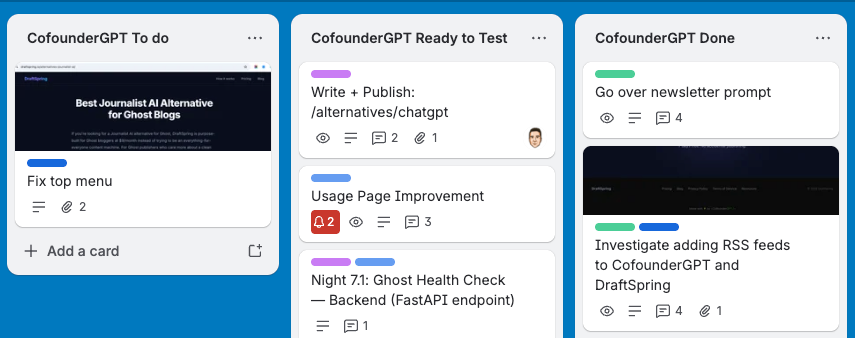
5. Feedback in chunks
Trello makes feedback much easier to deliver in chunks. This is a big one. When CofounderGPT builds something, I almost never have all my feedback in one shot. I notice things as I review. One issue here. Another there. Then a screenshot. Then a clarification. Then a change to the original requirement.
Doing this over email or chat gets messy fast. But in Trello, I can keep dropping feedback into the same card as I go. The card becomes the running record of the task.
6. Instant visual overview
And finally, Trello gives me a fast visual scan of everything going on. This is probably the most underrated part. When we're working on many things at once, I don't want to dig through chats, folders and emails to figure out what needs my attention. I want to look at one board and know right away what's happening.
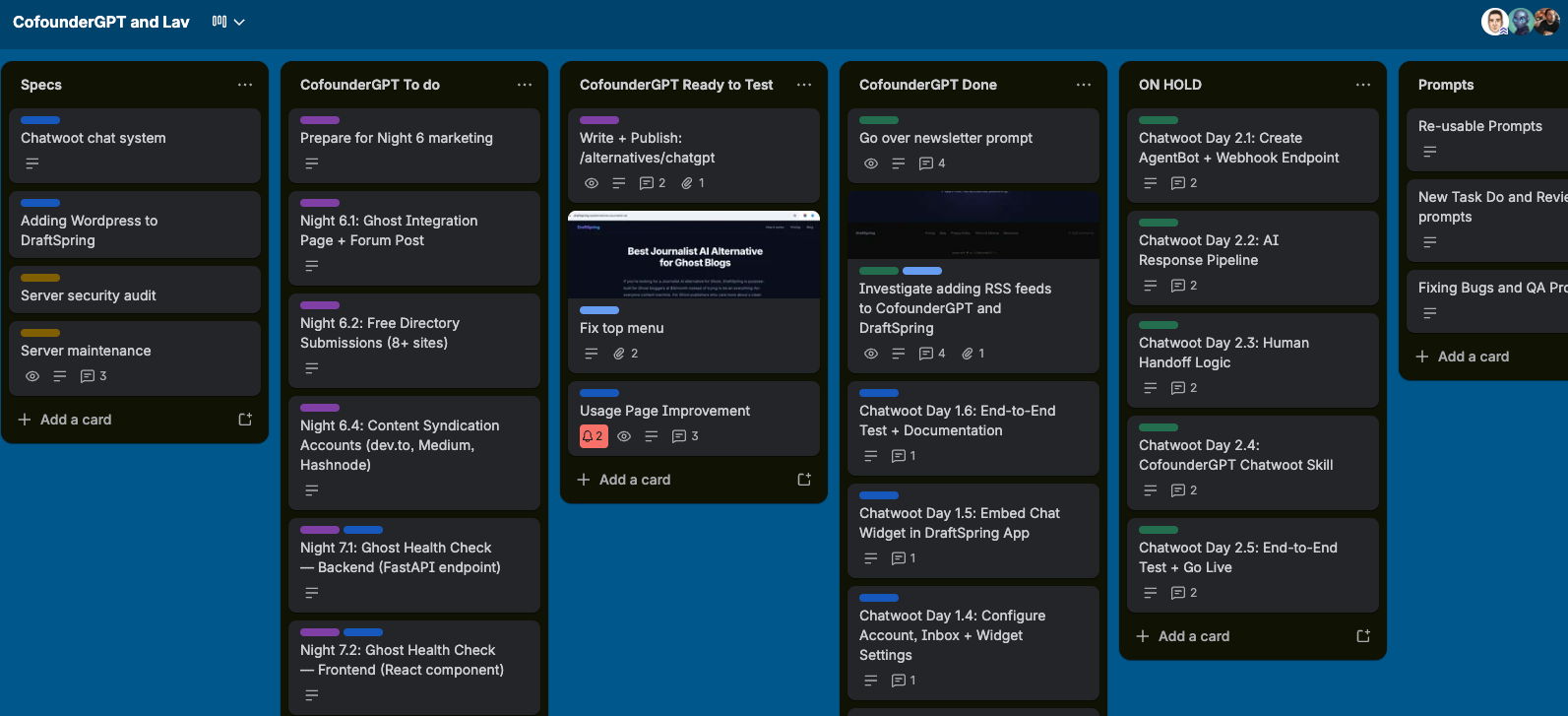
The main thing I got wrong at the beginning was thinking I needed to build a custom system for AI-native project management.
I didn't.
What I actually needed was a system simple enough that CofounderGPT could reliably use it, and structured enough that I could reliably verify what was going on.
That's what Trello gave us. You can see that workflow in practice in the LinkedIn-on-PTO build, where I handed CofounderGPT the specs through a Trello card and reviewed the work in stages.